
How Can We Help You?

How to Purchase a Gift Card as a gift
Navigate to www.sportsmanswarehouse.co.za/gift-card
There are 2 options available:
- Purchase a single Gift Card with personalised design
- Purchase bulk Gift Cards (great for corporates)
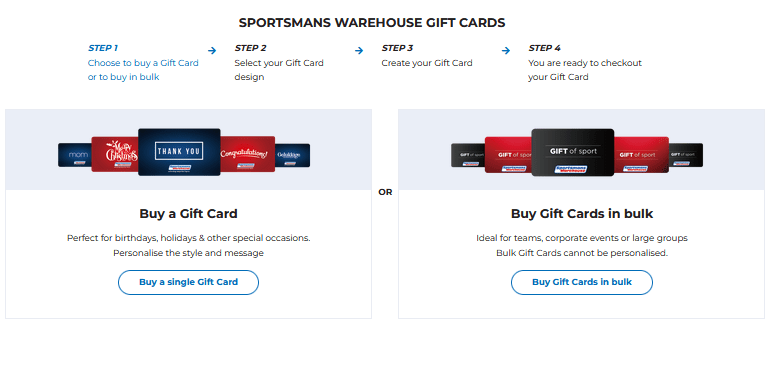
Purchasing a Single Gift Card
Step 1: Choose your Design
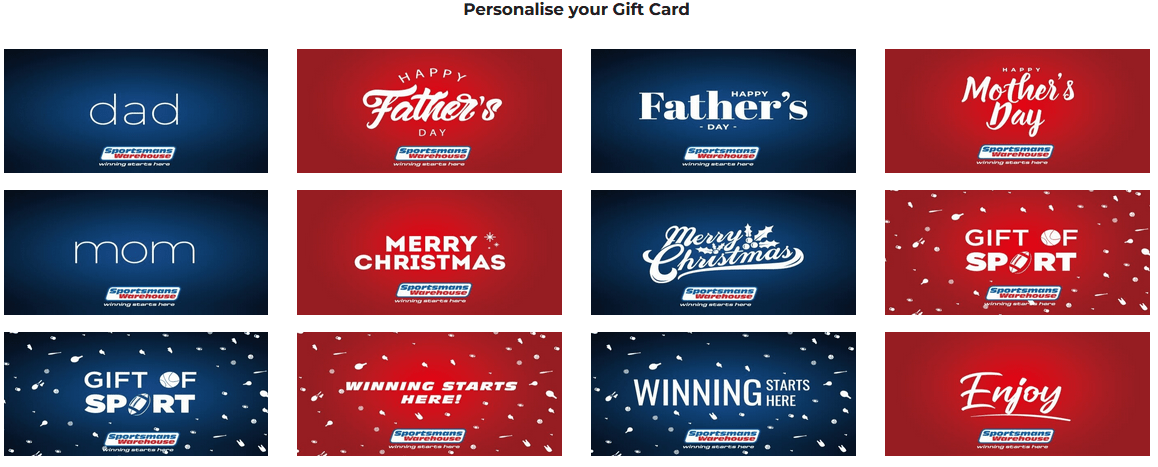
Step 2: Add your detail

Step 3: Decide on "send now" or "send later"
We added the ability for you to schedule your gift card. Select your date and time and we will ensure we send to the recipient.


Step 4: Review and add to cart

Purchasing Gift Cards in Bulk
Select your value and quantity that you would like.
Specify the recipient details and add to cart

How to look up a current Gift Card balance
- Want to check the balance of a Gift Card you have purchased? Navigate to “My Account” and select “My Gift Cards”. Here you will be able to check the balance of all the cards that you have previously purchased.
- Want to check the balance of a Gift Card that was gifted? You can use the following link to easily check what the balance is on the Gift Card that you have purchased. www.whatsonmycard.com
How to use your Gift Card
When making a purchase in a physical Sportsmans Warehouse store, present your physical Gift Card* (or the email on your phone) to the cashier to be redeemed. *Physical Gift Cards are available in stores only.
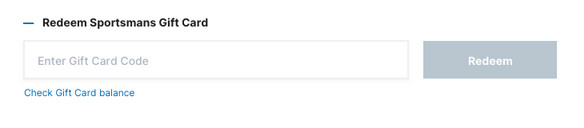
When making a purchase online, enter the Gift Card number in the “Redeem Sportsmans Gift Card” field
Are multiple redemptions allowed?
Yes. Multiple Gift Card redemptions are allowed on one transaction.
Where can I see the Gift Cards that I have purchased?
Navigate to “My Account” and select “My Gift Cards”. Here you will be able to check when cards were issued, when they expire and what their balance is. You will also be able to resend them to your recipient if the mail has been lost.
How long are Gift Cards valid for?
Gift Cards are valid for 36 months from date of purchase.
Gift Card Not Received?
If the gift card has not been send to the indicated gift card recipient, simply follow the steps below to resend this gift card:
- Log onto your account
- In the “my account” section, select "My Gift Cards"

- In the Gift Card section, select "Resend Gift Card"
